Help Center and guided tour
Help Center
Inside NOPAL, the Help Center gathers cards by topic: Home, 3D printers, Laser/CNC, Library, Devices and sensors, Network and connectivity, Automation, Maintenance, Troubleshooting and FAQ. Use the "Search help..." box to filter them. Features not yet available appear as Coming soon.
The Home card shows the NOPAL version, a link to the GitHub repository and the Replay guided tour button.
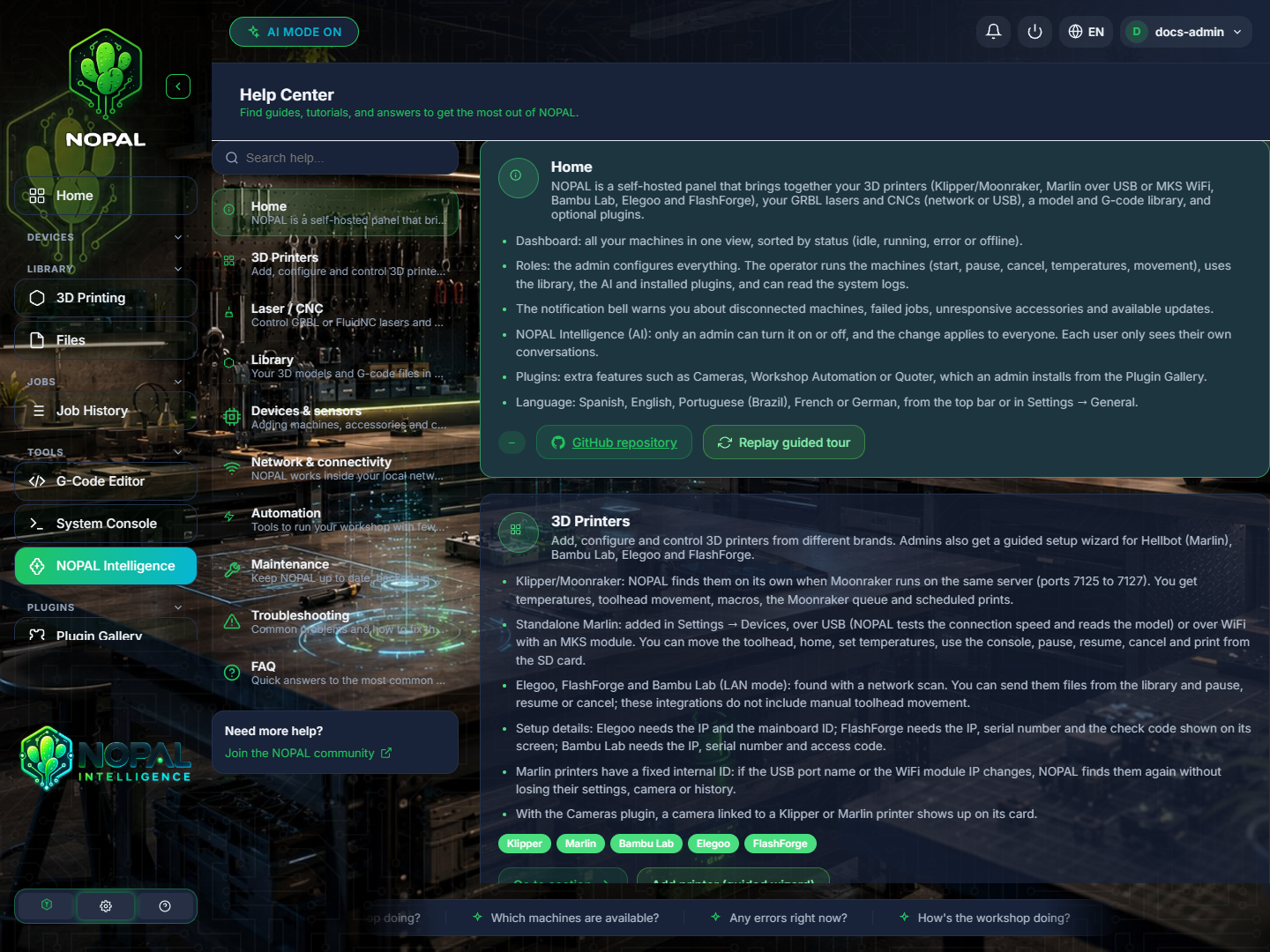
NOPAL 1.2.0-alpha.1 screenshot · English interface · NOPAL Style theme.
Guided tour
The first time you enter a section, NOPAL shows a short tour. It exists for the dashboard, library, G-code editor, console, laser, CNC, Marlin, queue and settings, among others.
- It is shown once per section in each browser.
- To see them all again: Help Center → Home → Replay guided tour.
- To turn them off: Settings → General → Guided tour.
Guided printer setup
Administrators have a 6-step wizard to add printers: choose brand, prepare the printer, search the network, credentials, verify the connection and finish. It covers Hellbot (Marlin over USB or MKS WiFi), Bambu Lab, Elegoo and FlashForge. It opens with Add printer (guided wizard) from the 3D printers card in the Help Center and from the Marlin, Elegoo and FlashForge sections. See also Connect your first machine.
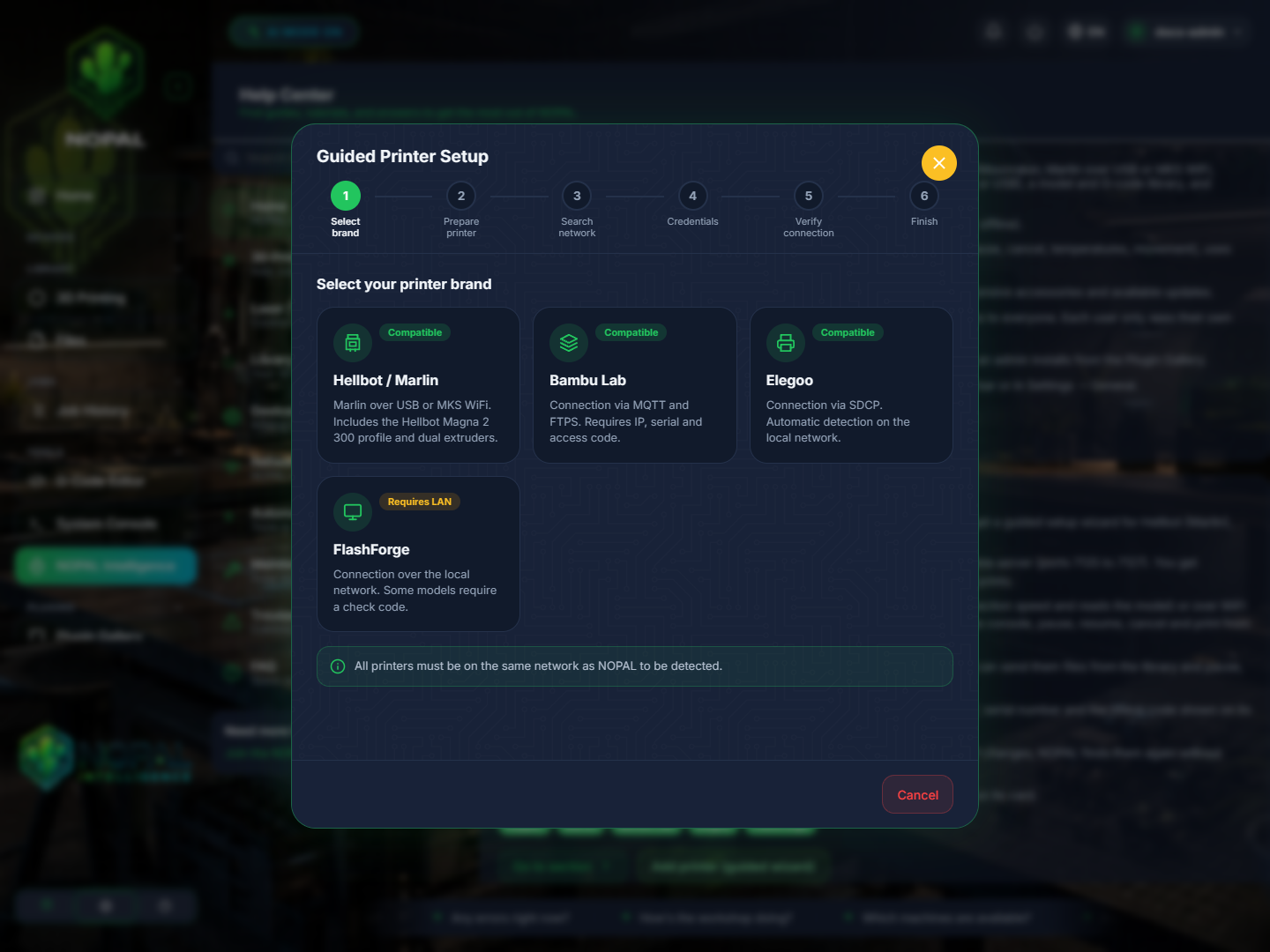
NOPAL 1.2.0-alpha.1 screenshot · English interface · NOPAL Style theme.