G-code editor
It is under Tools → G-Code Editor. It lets you open, edit and download G-code files in the browser, without leaving NOPAL, before sending them to a machine.
Open and save
| Button | What it does |
|---|---|
| New | Starts an empty file (Untitled.gcode). If there are changes not downloaded, NOPAL warns they will be lost |
| Library | Opens a file from your library |
| Open | Opens a file from your computer |
| Download | Saves the edited file to your computer |
Changes only exist in the browser until you click Download. The editor does not overwrite the library file. If you want to use the edited file on a machine, download it and upload it again to the library.
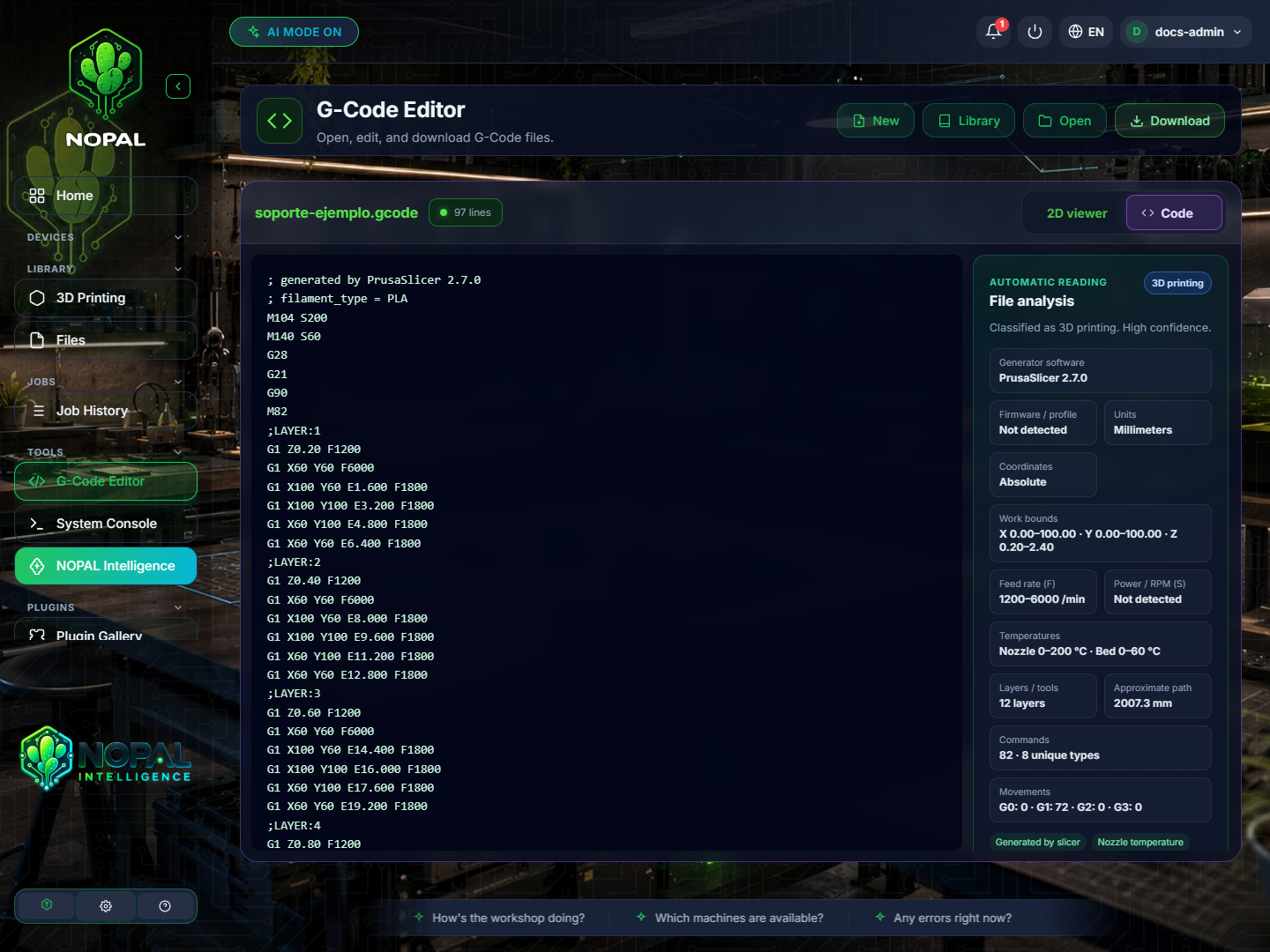
NOPAL 1.2.0-alpha.1 screenshot · English interface · NOPAL Style theme.
The two tabs
- Code: the file's text, with the line count. Type or modify the G-code directly.
- 2D viewer: the file's toolpath drawn in 2D.
When you modify the file, the editor marks it as modified.
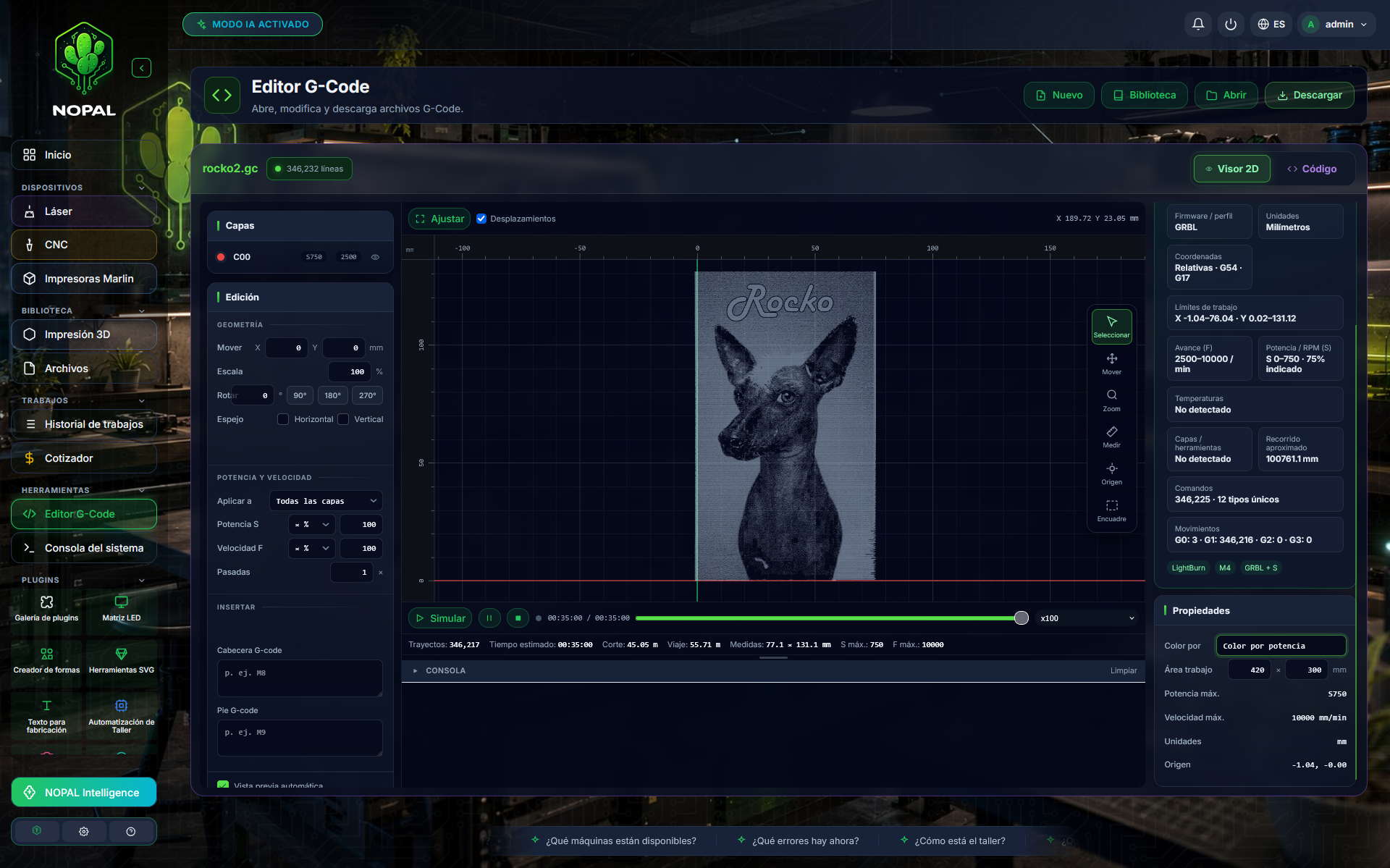
Screenshot of a running system · NOPAL 1.2.0-alpha.1 · Spanish interface · NOPAL Style theme.
Geometry
From the Geometry panel you can transform the job without editing line by line:
| Tool | What it does |
|---|---|
| Move | Shifts the job |
| Scale | Changes its size |
| Rotate | Rotates it |
| Mirror | Mirrors it horizontally or vertically |
| Origin → Move part to 0,0 | Takes the part to the origin |
Choose what the change applies to (Apply to) and click Apply. You can also see the file's layers.
File analysis
The File analysis panel (automatic reading) examines the content and shows:
- A classification of the file and its confidence level. If there are not enough signals, NOPAL says it cannot determine its use.
- The generating software and the firmware or profile.
- Units and coordinates.
- The work limits.
- Feed (F) and power or RPM (S).
- Temperatures of nozzle and bed, if any.
- Layers and tools, the approximate path, the commands (how many unique types) and the movements.
A datum the file does not declare appears as "Not declared" or "Not detected" instead of being invented.
Who can do what
All signed-in users can use the editor.