NOPAL Intelligence
Optional AI assistant built into NOPAL. It is off by default: the Tools → NOPAL Intelligence entry only appears when an administrator enables it.
What it can do
You can ask it about your machines and jobs and get natural-language answers. It has read-only tools to query NOPAL's state.
- Your conversations are private: each user sees only their own.
- It respects your role: it cannot do anything you cannot do.
- It never starts the laser or the CNC.
- It shows a notice that AI can be wrong: verify anything important.
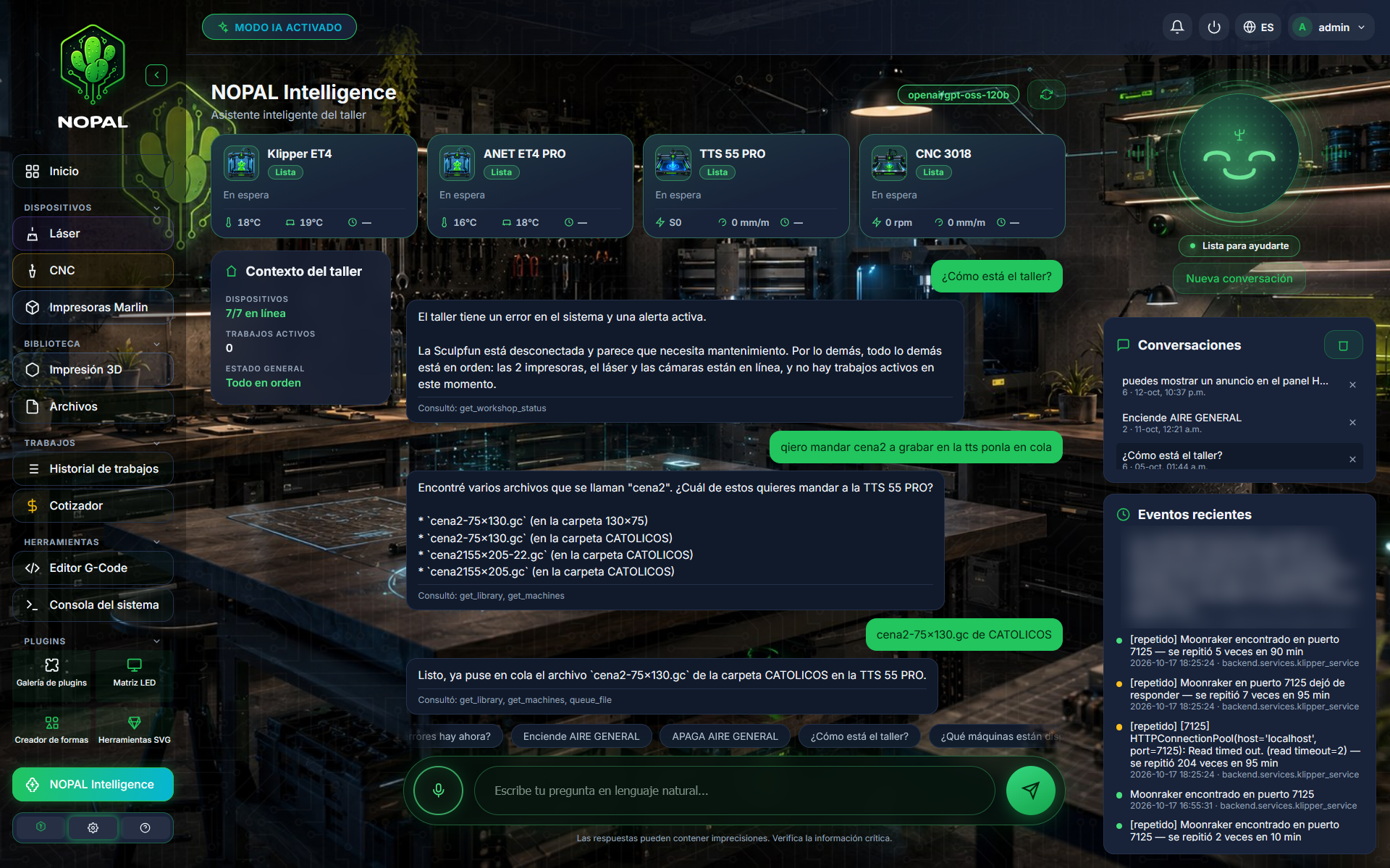
Screenshot of a running system · NOPAL 1.2.0-alpha.1 · Spanish interface · NOPAL Style theme.
AI actions
By default the AI only reads. An administrator can enable "Allow the AI to act". Even then, risky actions ask for your confirmation before they run.
If the LED Matrix plugin is installed, the AI can also show a short message on the FK-8Wa LED panel: a low-risk action that replaces the current message and expires by itself (1 to 1440 minutes; 5 by default). Without the plugin, the action is not available.
Configuration (administrator)
In Settings → Artificial intelligence:
| Setting | Description |
|---|---|
| Enable | Shows or hides the AI for everyone |
| Server | Any OpenAI-compatible server: local, on your network or in the cloud (presets are provided) |
| Model | Auto (NOPAL chooses by the level of the question: Fast, Intermediate, Reasoning…) or Fixed |
| Quick questions | Editable list of suggestions |
| Allow the AI to act | Off by default |
Using a public server requires explicitly accepting (allow_public_endpoint) a list of the data that will be sent. The API key is stored in ai_config.json in the NOPAL folder. If you want nothing to leave your network, use a local server.
A local AI server usually needs a GPU to answer smoothly.
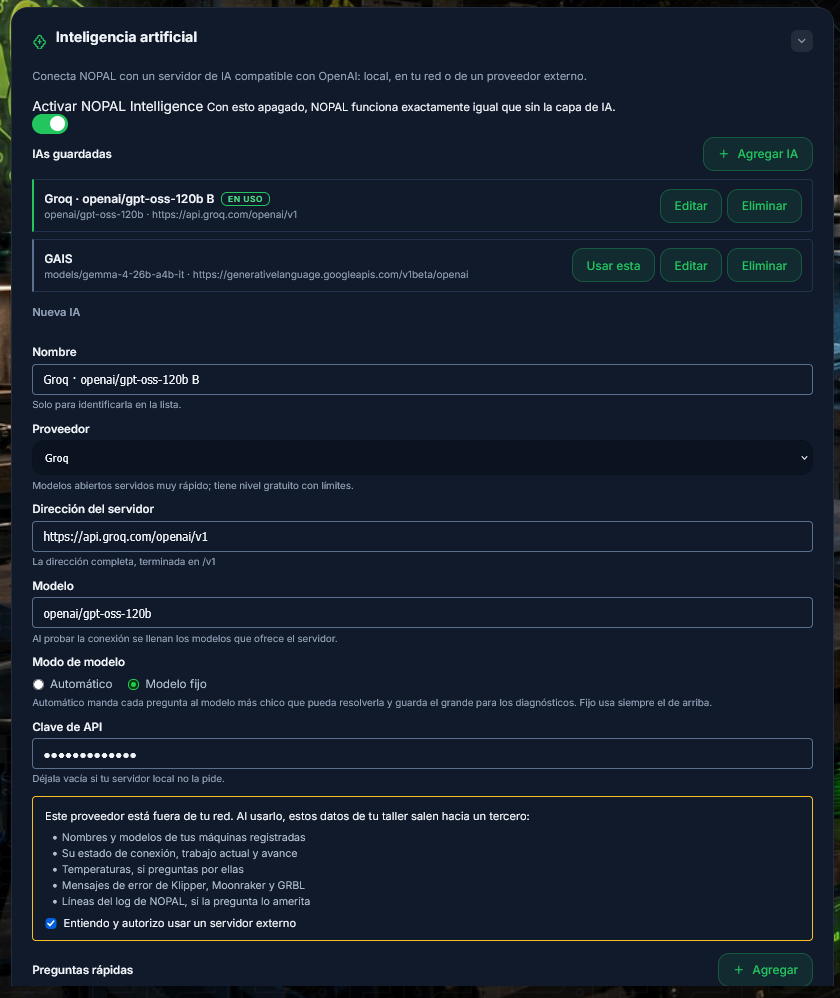
Screenshot of a running system · NOPAL 1.2.0-alpha.1 · Spanish interface · NOPAL Style theme.
Not available yet
Voice dictation appears as "coming soon".
Who can do what
| Action | Operator | Administrator |
|---|---|---|
| Use the assistant and see its conversations | ✅ | ✅ |
| Configure server, model and actions | ❌ | ✅ |
| Edit the quick questions | ❌ | ✅ |
To expose tools from your own plugins to the AI, see Plugin integrations.